| Сегодня 23 марта, понедельник |
      |
  
|

  
Какой рейтинг вас больше интересует?
|
Главная /
Каталог блоговCтраница блогера TUTSOFT - INFO BLOG/Записи в блоге |



 |
TUTSOFT - INFO BLOG
Голосов: 1 Адрес блога: http://tutsoft-info.blogspot.com/ Добавлен: 2012-04-05 23:56:43 блограйдером samopir |
AutoMask (Mac OS 9.x/ Mac OS X)
2012-10-16 00:44:00 (читать в оригинале)
AutoMask (Mac OS 9.x/ Mac OS X)
AutoMask! version 4 is a Masking Filter Plug-In for Photoshop or Jasc PaintShopPro:
It features :
The density masking action occurs all over the selected area.
With the Global density, you can pick several colors, RGB or CMYK, and create a mask on these selected areas. This Global Density also lets users select any color that they want to protect from being covered a mask ( Protective density ).
The Global Density technique is especially useful, when the subject is against a flat color background. In this case you have to select the color of the background and your mask is done! A special Virtual Masking Brush eliminates extra spots or unwanted mask created via the automatic density action. It is very common to have the same color inside your subject and outside, this is why the virtual masking/unmasking airbrush is useful! The brush is virtual because it works at the same speed whatever your picture size and may be used on very large images.
As you move along the edge of the subject, you can sample the image with the Density Brush Picker. The selected color is used to build a mask automatically along the edge.
An unlimited number of readings can be taken. Undo is possible. Users can go back and forth between any masking feature at any point.
The local brush may be used in combination with the global density tool.
The main strength of our density brush masking tool is the smoothness on the edge. AutoMask respects the natural antialiasing of the subject and the semi-transparency of the edges The mask created comes as an opacity layer or as a fourth or a fifth channel on a background image. AutoMask is the perfect tool for all the difficult silhouettes : trees, landscape, furs, animals... AutoMask is an Advanced Masking Tool which goes beyond what Photoshop is offering :
AutoMask work in RGB or CMYK...directly on a layer of Photoshop if you wish...
why spend more for another masking tools... AutoMask has it all and will be a time-saver especially on difficult subjects such as furs/trees...

Ashampoo 3D CAD Professional 3
2012-10-16 00:39:00 (читать в оригинале)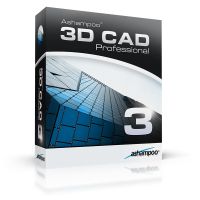
Ashampoo 3D CAD Professional 3
Ashampoo 3D CAD Professional 3 enables professional CAD planning of building and furnishing projects. From loft conversion via interior furnishing through to the planning of a complex of buildings this software provides all necessary highly-professional functions.
Getting started with the software is easy with the new start wizard. The user can watch training videos or edit a sample project. The integrated project wizard enables a quick and easy creation of ground plans and the adjustment of important basic settings.
With Ashampoo 3D CAD Professional 3 complex building projects can be represented exactly in 2D- and 3D views. The new functions in the 3D construction enable to use for of subtraction solids as well as rotation and sweep solids. Subtraction solids can be used for complex constructions such as a roof terrace. The free 3D construction feature enables the user to create own individual 3D objects and save those to the catalog. Furthermore, the program contains a module for the creation of own window constructions for further use in the catalog.
The quantities plug-in provides an analysis of the whole planning project (corresponding to German DIN). Moreover, Ashampoo 3D CAD Professional 3 offers the export of 2D and 3D views as well as list of objects etc. and export formats such as 2D DXF / DWG and CINEMA 4D.
Program highlights
- Free 3D construction of objects
- Window construction plug-in
- Usage of subtraction solids
- Start wizard and project wizard
- Surface editor for indvidual surfaces
- Extensive catalogs with objects, materials, textures and symbols
- Storage of individually created objects in the object catalog
- 2D and 3D views (also parallel)
- Creation of ground plans using a sketch or an image
- Export of views, stock lists, objects and buildings
- Quantities plug-in
- 2D DXF / DWG import and export
- CINEMA 4D export

All Media Show
2012-10-16 00:23:00 (читать в оригинале)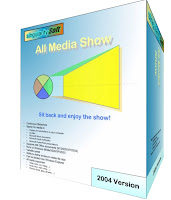
All Media Show
Sit back and relax! All Media Show allows you to watch your pictures, video and listen to your audio files anywhere on your computer, even if embedded in documents or archives. With All Media Show you can decide of the quality of your show by deciding the minimum file size of your Media and discard unwanted Media formats. You can define the speed between media in you show and view the Media in a random fashion if you desire. After pausing the show you can browse for Media manually, and change the settings of the show before restarting.
All Media Show can be started by right-clicking a folder or zip file. It will explore folders and sub-folders, search for Media in Microsoft Office documents, zip archives. All Media Show currently support the following Office documents:
- PowerPoint presentations
- Word documents
- Excel Workbooks
In the following Office versions:
- 97
- 2000
- XP
- 2003
All Media Show supports the following media formats: wmv, avi, mpg, bmp, jpeg, gif, wav, bmp, wmf...
All Media Show includes the Microsoft .NET framework allowing it to run on the following
Windows platforms:
- 98/ME
- NT 4.0
- 2000
- XP
- 2003

Alchemy Symbols (Macintosh)
2012-10-16 00:18:00 (читать в оригинале)
Alchemy Symbols (Macintosh)
GIVE YOUR DOCUMENTS A SENSE OF HISTORY The Deniart Systems Alchemy Symbols series contains over 220 unique characters based on the cryptic symbols used by Alchemists in the middle-ages. Referred to as steganographic and spagyric signs, the series includes symbols representing metals, processes, instruments, weights, materials and spirits.
UNDERSTANDING ALCHEMY The most common misconception about Alchemy is that it is exclusively the precursor to modern chemistry and had as it's sole objective the transmutation of base metals into gold. Although chemistry did evolve from Alchemy, the mysterious dogma of Alchemy pertains to the quest for the Elixir of life, the Key to Immortality and Health, and the search for the Stone of Knowledge.
Copyright © 1993-2002 Deniart Systems. All rights reserved.

4Media Blu-ray to iPad Converter
2012-10-16 00:13:00 (читать в оригинале)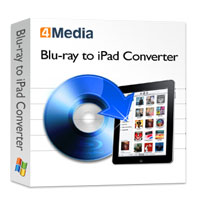
4Media Blu-ray to iPad Converter
4Media Blu-Ray to iPad Converter features powerful Blu-ray to iPad video conversion, Blu-ray to iPad audio conversion, Blu-ray image extraction, Blu-ray movie editing, and Blu-ray to iPad customization functionalities. Convert Blu-ray M2TS movies to iPad H.264 HD, H.264 or MPEG-4 video format, rip Blu-ray soundtracks to iPad AAC, M4A or MP3 audio format, or extract Blu-ray movie images.
Features :
1.Convert Blu-ray movies (M2TS) to iPad videos in various formats (H.264 HD, H.264, MPEG-4).
2.Rip Blu-ray movie soundtracks to iPad music in various formats (AAC, M4A, MP3).
3.Simultaneously extract multiple images from your Blu-ray movie to various formats (BMP, GIF, JPEG, PNG).
4.Convert several Blu-ray video files to iPad videos in one go at high speed.
5.Clip segments from your Blu-ray movie and merge them before you convert, you can also split and merge Blu-ray video files.
6.Crop the image frame of your movie freely to remove any unwanted features, logos, or borders from it.
7.Add ownership to your movie with your very own text or picture label, you can also add various stunning artistic effects to give your movie a special feel.
8.Bit rate, resolution, frame rate, sample rate, codec, and many other output parameters are available to adjust; you can also tweak the video brightness, saturation and contrast.
9.Optimized conversion profiles are built-in; you can also customize existing ones to create profiles of your own.
10.Use the Bitrate Calculator to output your iPad video to the size you need precisely.
11.Free-up precious CPU resources for other applications by setting Blu-ray to iPad conversions to run in the background.
12.Set the Blu-ray to iPad converter to perform one of the âPost-Task Actionsâ (exit application, system shut down, stand by, hibernate, no action) so you donât have to wait in front of your PC until all tasks are complete.
13.English, German, French, Spanish, Japanese, Simplified and Traditional Chinese language interfaces are available.
Features :
1.Convert Blu-ray movies (M2TS) to iPad videos in various formats (H.264 HD, H.264, MPEG-4).
2.Rip Blu-ray movie soundtracks to iPad music in various formats (AAC, M4A, MP3).
3.Simultaneously extract multiple images from your Blu-ray movie to various formats (BMP, GIF, JPEG, PNG).
4.Convert several Blu-ray video files to iPad videos in one go at high speed.
5.Clip segments from your Blu-ray movie and merge them before you convert, you can also split and merge Blu-ray video files.
6.Crop the image frame of your movie freely to remove any unwanted features, logos, or borders from it.
7.Add ownership to your movie with your very own text or picture label, you can also add various stunning artistic effects to give your movie a special feel.
8.Bit rate, resolution, frame rate, sample rate, codec, and many other output parameters are available to adjust; you can also tweak the video brightness, saturation and contrast.
9.Optimized conversion profiles are built-in; you can also customize existing ones to create profiles of your own.
10.Use the Bitrate Calculator to output your iPad video to the size you need precisely.
11.Free-up precious CPU resources for other applications by setting Blu-ray to iPad conversions to run in the background.
12.Set the Blu-ray to iPad converter to perform one of the âPost-Task Actionsâ (exit application, system shut down, stand by, hibernate, no action) so you donât have to wait in front of your PC until all tasks are complete.
13.English, German, French, Spanish, Japanese, Simplified and Traditional Chinese language interfaces are available.




Категория «Бизнес»
Взлеты Топ 5
 | ||
|
+1006 |
1094 |
ДеВаЧкА-НеФоРмАлКа |
|
+989 |
1001 |
White_Rabbit_Pics |
|
+988 |
1000 |
Смотрим на жизнь сквозь сетку |
|
+934 |
1101 |
Вадим Гоц |
|
+928 |
932 |
Блог о подарках и праздниках |
Падения Топ 5
 | ||
|
-1 |
10 |
Блог Находчивого Продавца |
|
-1 |
459 |
alexfox2011 - BLOG.I.UA |
|
-2 |
3 |
Деньги в интернете |
|
-5 |
992 |
Allendy.ru - экономический портал |
|
-6 |
729 |
Натяжные потолки Херсон |

Популярные за сутки
Загрузка...

BlogRider.ru не имеет отношения к публикуемым в записях блогов материалам. Все записи
взяты из открытых общедоступных источников и являются собственностью их авторов.
взяты из открытых общедоступных источников и являются собственностью их авторов.