| Сегодня 27 марта, пятница |
      |
  
|

  
Какой рейтинг вас больше интересует?
|
Главная /
Каталог блоговCтраница блогера TUTSOFT - INFO BLOG/Записи в блоге |
||||||||||||||||||||||||||||||||||||||||||||||||||||||



 |
TUTSOFT - INFO BLOG
Голосов: 1 Адрес блога: http://tutsoft-info.blogspot.com/ Добавлен: 2012-04-05 23:56:43 блограйдером samopir |
3D Text Commander 3.0
2012-04-02 11:58:00 (читать в оригинале)
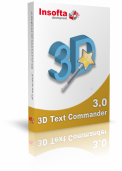
3D Text Commander turns any plain-text message into a captivating 3D text, letting you create your own 3D text logos, banners, messages and save it to your computer for use on your web pages, in documents and presentations.
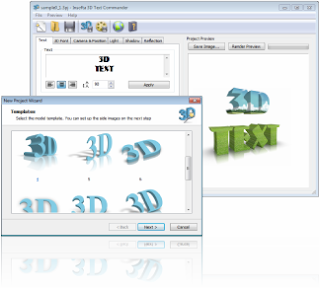
Visualize Your Message
Also keep in mind that the modern reader spoiled by rich-media content... hates reading! In every single text he opens, he first looks for pictures. And even when scanning the rest, he still tries to associate whatever he's reading with familiar images rather than to get a grasp of the text.So why keep your reader suffering? VISUALIZE your message by turning it into a 3D TEXT!




Go 3-Dimensional!
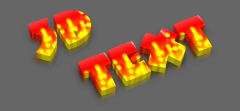
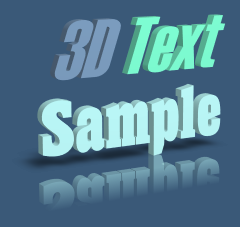
3D Text Commander turns any plain-text message into a captivating 3D text, letting you create your own 3D text logos, banners, messages and save it to your computer for use on your web pages, in documents and presentations.Give your 3D text a perfect look. You can choose from a variety of professional templates and add your own pictures and text. Choose a font (all system fonts can be used), colorize it, size it, add transparency. Set your 3D text position right on the screen, in real-time by just dragging it.
Make your 3D text even more captivating by animating it. Toggling just a couple of extra checkboxes will turn your 3D text into a rotating 3D banner. The software comes with a library of pretty textures fitting just about any taste and demand.
Want to discover more?
Download Your Free Copy Now!
Check out what 3D Text Commander can offer to you - download your free evaluation copy of the software. While you won't be charged a single penny for it, you will be able to:- Install the software instantly and hassle-free; remove it safely if you didn't find it helpful.
- Access all the commercial features in the trial version.
- Upgrade to the commercial version without reinstalling the software.
Give it a try now and see how your documents turn into eye-capturing communicators that convey your message to readers in a more intuitive, pictorial, convincing manner.
--------------------------------------------------------------------------------------------------------
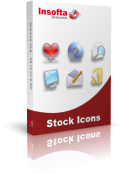
Are you not satisfied how your website or application looks like? Do you use customary free icons that thousands of other webmasters and programmers already utilize in their projects? Want your product to stand out and look better then your competitors to generate more sales? Then check out these professional stock icon collections created by icon designers that made icon editor AWicons Pro.

Vista Artistic Icons
2723 icons | |
Formats: | ICO, PNG, GIF, vector AI (Adobe Illustrator 10) |
Sizes: | 256x256, 128x128, 48x48, 32x32, 24x24, 16x16 |
Color format: | 32-bit alpha-blended (XP format), 8-bit (256 colors) |
Color states: | Normal, Hot, Disabled, Gray |
 With icons in vector format you can resize its, shrink, move, rotate, change colors, change some details, combine some icons, create new icons from other and all this without lost of quality!
 ----------------------------------------------------------------------------------------------------------

Insofta Cover Commander
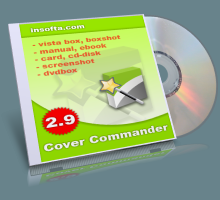
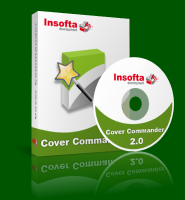
Cover Commander is the fastest way to get a professional, high-quality 3D box cover. It gives you the very best customized covers with terrific creativity designed to show off your work in the best possible light.
Create Software Boxes and EBook Covers
No matter what's in the box, shoppers will not value it if the box doesn't have a captivating cover. A great cover conveys a compelling message that the product under the cover is worth their attention... and their money.
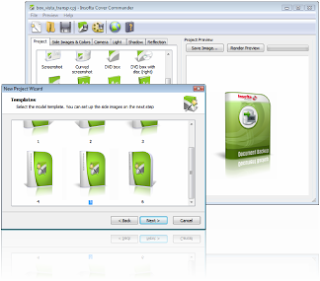
Professional Looking 3D Box Shots in No Time
No doubt you can create a great looking box shot in Adobe Photoshop ($649). The question is: how much time are you willing to invest in learning how to achieve this seemingly simple task?
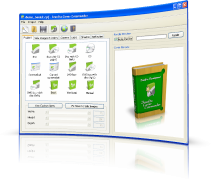
Cover Commander ($69) offers more precise controls over the process of creating a perfect 3D box shot, while removing the steep learning curve associated with any general use graphics editor.
Draw even more attention to your product with an animated 3D box, cover or screenshot. Just a couple of extra clicks will create a dynamic animation flashing all kinds of effects that would captivate your customer's eye.
You can boost your productivity by times with Cover Commander's command-line options: parse same project with different sets of images, create multiple projects with a single command, and do much more - just untie your imagination. Command-line options are a real "panacea" for "heavy" projects - catalogs, stores, etc.
Cover Commander ($69) offers more precise controls over the process of creating a perfect 3D box shot, while removing the steep learning curve associated with any general use graphics editor.
Draw even more attention to your product with an animated 3D box, cover or screenshot. Just a couple of extra clicks will create a dynamic animation flashing all kinds of effects that would captivate your customer's eye.
You can boost your productivity by times with Cover Commander's command-line options: parse same project with different sets of images, create multiple projects with a single command, and do much more - just untie your imagination. Command-line options are a real "panacea" for "heavy" projects - catalogs, stores, etc.




Testimonials
I downloaded and used about 12 different cover creator software packages before I found Insofta Cover Commander. The ease of use, the quality 3D engine, virtually instant rendering, almost unlimited options, and professional interface, make the Insofta product the best by far. And I think these guys have only just begun - further enhancements down the track will make this an UNBEATABLE product for the amateur and professional alike.
Rob, JustWeb Sydney Australia,
www.justweb.com.au/review/box-software-download.html
I specifically chose Cover Commander as my cover creator software of choice - after reading a highly complimentary review on a SitePoint newsletter. Most of the competition "look the same", but Cover Commander has a crispness to it and a very modern feel to the "boxes and books". Be very careful as some of the other products on the market have a finished image quality when exported that is less than professional looking.
Cover Commander is very easy to use - not like much of the competition whichare based on Photoshop "actions" - and the amazing number of different"projects" allows books, reports, DVDs, software boxes ... you name it. One of my clients remarked how professional his new book looked on the web! (Little did he know it took me about 2 minutes flat to create it!) Most importantly to me, on the one occasion where I had an issue with the product, the service turn-around has to be experienced to be believed - it'since to discover in an internet full of hype-merchants that there are people who do what they say - and products that do exactly what they claim. Many thanks!
Robert Scanlon, www.instant-self-esteem.com
Rob, JustWeb Sydney Australia,
www.justweb.com.au/review/box-software-download.html
I specifically chose Cover Commander as my cover creator software of choice - after reading a highly complimentary review on a SitePoint newsletter. Most of the competition "look the same", but Cover Commander has a crispness to it and a very modern feel to the "boxes and books". Be very careful as some of the other products on the market have a finished image quality when exported that is less than professional looking.
Cover Commander is very easy to use - not like much of the competition whichare based on Photoshop "actions" - and the amazing number of different"projects" allows books, reports, DVDs, software boxes ... you name it. One of my clients remarked how professional his new book looked on the web! (Little did he know it took me about 2 minutes flat to create it!) Most importantly to me, on the one occasion where I had an issue with the product, the service turn-around has to be experienced to be believed - it'since to discover in an internet full of hype-merchants that there are people who do what they say - and products that do exactly what they claim. Many thanks!
Robert Scanlon, www.instant-self-esteem.com
Try Cover Commander Free of Charge Now!
- Download and install it instantly.
- Access all features in the trial version.
Check out Cover Commander in action and see if the covers you get will not make you want to grab that thing on the shelf and see what's in it.
----------------------------------------------------------------------------------------------------------

Office Tab
2012-03-30 12:15:00 (читать в оригинале)
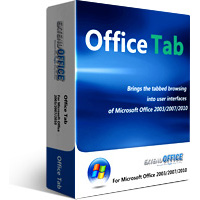
Office Tab
Unlike web browsers -- Internet Explorer 8, Firefox or Chrome, Microsoft Office does not use a single window to hold multiple files for viewing and editing. The product lines of Office Tab improve the ability of MS Office, and bring the tabbed user interface to Microsoft Office 2003, 2007 and 2010 (include Word, Excel and PowerPoint).
1. Open, read, edit and manage multiple documents in a tabbed window,;
2. Using tabs for switching between documents;
3. Use Favorite Group new feature to manage groups of documents;
4. Easy to use, just like IE 8, Firefox and Google Chrome;
5. Without filling your desktop with new, unorganized Office windows;
6. Based on Microsoft Office Standard Add-in technology.
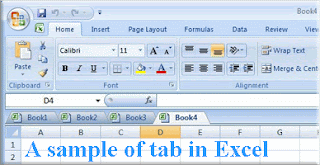
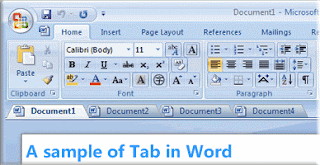
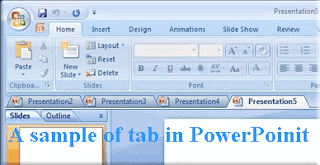
Save all files in the tabbed window by one click.
Open current document or workbook in new window.
Open the relevant folder of current document.
Close all files in the tabbed windows (a confirmation dialog box will appear when you choose to close all files).
Close other files (exclude current file) in the tabbed windows.
You can close a tab by double-clicking left button or clicking the middle mouse button once.
You can create new document by double-clicking the left button on the blank space on the tab bar.
With Office Tab, the tab can display the whole document name on the tab bar no matter how long the document name it is.
Quickly Rename Document:
You don't need clicking Save As to save document as another file, just use Rename to change the name of document.
Favorite Group:
it brings you a group concept to manage your documents, you can easily open a group of documents, close a group of documents and you can also drag and drop the document between groups for organizing your favorites group.
------------------------------------------------------------------------------------------------------------------------------
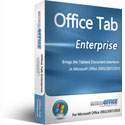
Office Tab Enterprise
Tabbed Office Interface -- Office Tabs makes the Microsoft Office work as it ware web browsers IE8, Chrome, and FireFox. Office Tabs makes multiple documents displayed in only one Window with tabs possible. Brings the tabbed user interface to Microsoft Office 2003, 2007 and 2010 (include Word, Excel and PowerPoint, Project, and Visio). 1. Open, read, edit and manage multiple Office documents in a tabbed window, 2. Using tabs for switching between documents. 3. Easy to use, just like IE 8, Firefox and Google Chrome. 4. Without filling your desktop with new, unorganized Office windows. 5. Based on Microsoft Office Standard Add-in technology. Save Documents. "Save All": Save all files in the tabbed window. Easy determine which file has been changed, which has been saved: Office Tab will mark these modified documents or workbooks with an asterisk (*) in their names to indicate the modified documents or workbooks (except in PowerPoint). Open Documents. "Open in New Window": open current document or workbook in new window. "Open Folder": You can open the relevant folder of current document Close Documents. You can close a tab by double-clicking the left button on it. You can close a tab by clicking the middle mouse button once. "Close All": close all files in the tabbed windows (a confirmation dialog box will appear when you choose to close all files). "Close Other": close other files (exclude current file) in the tabbed windows. Create New Document. You can create new document by double-clicking the left button on the blank space on the tab bar. "New" on the context menu: create a new document (it is the same as "New" feature in MS Office). Full Document Name. With Office Tab, the tab can display the whole document name on the tab bar no matter how long the document name it is. Quickly Rename. This function is different from "save as", once "rename" is applied, the document file under the original name does not exist anymore.
------------------------------------------------------------------------------------------------------------------------------
Help managing and editing your excel workbooks within one window, bringing tabbed browsing and editing interface like in IE7 or Firefox to Microsoft Excel ribbon interface and handling multiple workbooks with tab bar.
------------------------------------------------------------------------------------------------------------------------------
Tabs for Word is a perfect solution to bring tabbed browsing and editing interface into Microsoft Word 2003, 2007 and 2010.
------------------------------------------------------------------------------------------------------------------------------
Tabs for Visio is an add-in specifically designed for Microsoft Visio, which will brings the tabbed editing and browsing into user interfaces. With Tabs for Visio, you can easily open multiple drawings and make them contained within a single window, using tabs for switching sets of drawings. A double-click on the tab bar will quickly open a new tab and a click on existing tabs will display that tab in the foreground. In short, you can make the taskbar no more crowded and also easily switch back and forth between the drawings and even view them side by side within one window. The major function of this add-in is to add a tab bar similar to that found in browsers today. Try to think about that when you open multiple drawings within a single window, and where is amazing happening? Tabs for Visio brings you orderly and efficient drawing processing, thats the amazing I am talking about. Once youve installed Tabs for Visio, you can head into the settings panel, where you can enable or disable tabbed browsing interface, move the tabs to the side or bottom, and change the appearance of the tabs with a number of styles to choose from. When you open or start a drawing, there will be a corresponding tab in the tab bar, switch among drawings just by clicking the tabs. Double-clicking in the blank space of the tab bar area will create a new drawing and a new tab, Double-clicking on an already opened drawing tab to close that drawing. Additionally, other functions available with Tabs for Visio include the ability to Close and Rename all drawings quickly and easily. To switch between tabs, simply click on the one you want to use. You can also use keyboard shortcuts to switch as well. Tabs for Visio is user controlled: you can customize how the tabs work by configuring where to place the tab bar, what shortcuts to use, what the style and colours of the tab are, and whether to hide the Tabs bar when there is only one tab. In short, you will find Tabs for Visio to be an effective and efficient addition to Microsoft Visio functionality.
------------------------------------------------------------------------------------------------------------------------------

AV Voice Changer Software Diamond 7.0
2012-03-28 01:39:00 (читать в оригинале)
30% OFF discount now through April 3, 2012.
 Coupon: AFD-M3VB-VCSD
AV Voice Changer Software Diamond 7.0
PRODUCT OVERVIEW
Voice Changer Software Diamond 7.0 is the latest edition in the VOICE CHANGER SOFTWARE series which is dedicated to voice changing and voice manipulating for online and local computer-based programs.
-Voice Changer Software Diamond can do a wide range of voice changing related tasks for many different purposes, such as voice-over and voice dubbing for audio/video clips, presentations, narrations, voice messages, voice mails, E-greeting cards, etc.; mimic the voice of any person, create animal sounds, change voices in songs, etc.
-This software can be used with all online games including Second Life, World of Warcraft, EVE Online, Lord of the Rings Online, Everquest, Counter-Strike, Battlefield 2 and many more.
-Voice Changer Software Diamond works well with many VoIP and Instant Messaging programs such as Skype, Ventrilo, TeamSpeak, Yahoo Messenger, MSN Live Messenger, AIM, XFire, GoogleTalk, Roger Wilco, Net2Phone and more.
-Fully support Windows OSs: Windows XP, Windows Vista, Windows 7.
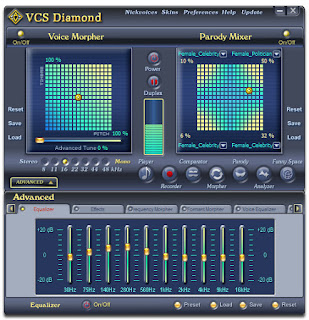
PRODUCT FEATURES
-High-quality voice output
Made by the changes of the combination settings of voice's pitch and timbre. You can change, tune, improve, equalize voice and sound, etc.
Made by the changes of the combination settings of voice's pitch and timbre. You can change, tune, improve, equalize voice and sound, etc.
-Game mode optimized for online games
Switch from Full mode to Game mode for low bandwidth and CPU usage while maintaining excellent performance, especially when you play online games
Switch from Full mode to Game mode for low bandwidth and CPU usage while maintaining excellent performance, especially when you play online games
-Ready-to-use, customizable nickvoices
Hundred of preset voices - the "nickvoices" - available with just a click; also create and save your own presets. quickly switch voices with simple keystrokes
Hundred of preset voices - the "nickvoices" - available with just a click; also create and save your own presets. quickly switch voices with simple keystrokes
-Compatible with Internet-based programs
Compatible with many voice chat applications, instant messenger programs, VoIP programs, and online games.
Compatible with many voice chat applications, instant messenger programs, VoIP programs, and online games.
-Batch File Morpher
Quickly performs both audio morphing and file format converting processes on a pre-selected list of files.
Quickly performs both audio morphing and file format converting processes on a pre-selected list of files.
-Clear, user-friendly interface
Proper user interface with useful tips / hints makes the software very easy to use.
Proper user interface with useful tips / hints makes the software very easy to use.
-Now fully suffport Windows 7 (32 bit / 64 bit)
And support other MS OSs: Windows XP (32 bit / 64 bit), Windows Vista (32 bit / 64 bit)
And support other MS OSs: Windows XP (32 bit / 64 bit), Windows Vista (32 bit / 64 bit)
-------------------------------------------------------------------------------------------------------
 Coupon: AFD-XG6N-WCM
AV Webcam Morpher 2.0
PRODUCT OVERVIEW
WebCam Morpher 2.0 is a fun software program that allows users to be creative in online activities by altering and controlling your webcam output in real time. You can control your image, voice, and background image, as well as apply audio and video effects to the webcam presentation. You can capture both outgoing and incoming webcam images, and easily share them with friends and others.
Users don’t even have to own a webcam; the program will simulate a webcam broadcast for you through nickfaces. Nickfaces are controlled by a popup panel to control gestures and expressions, giving the appearance of normal webcam motion. You can create your own nickfaces or use pre-made nickfaces (available on the website) to change your online appearance; instantly become Jack Sparrow, The Joker, even president Obama (NEW).
Background images can be changed in real time by using one of several preset images or by using your own prepared images (NEW)
WebCam Morpher 2.0 works well with many Video Instant Messenger applications like Yahoo Messenger with Voice, Skype, Camfrog, PalTalk Messenger, Windows Live Messenger, etc.
WebCam Morpher 2.0 has two editions: the Free edition and the Pro one. The free edition has basic functions and is limited on two nickfaces, the Pro edition has full functions with several seasonal and personality nickfaces.
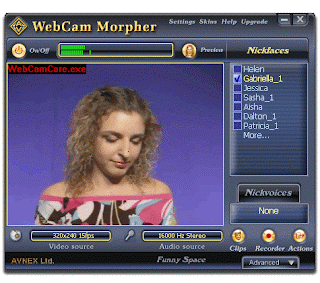
PRODUCT FEATURES
-Cute nickfaces
For you to choose from; just select your favorite personality from up to fifty nickfaces. They can smile, laugh, talk, even flirt like real people.
For you to choose from; just select your favorite personality from up to fifty nickfaces. They can smile, laugh, talk, even flirt like real people.
-Outstanding effects
For you to color, even replace your video background, adjust the brightness, contrast, or apply noise reduction, band pass filter, and more.
For you to color, even replace your video background, adjust the brightness, contrast, or apply noise reduction, band pass filter, and more.
-Superior nickvoice library
For you to combine with your nickface; choose from many suitable nickvoices such as prudent girl, charming girl, boy, young man, teenager, etc
For you to combine with your nickface; choose from many suitable nickvoices such as prudent girl, charming girl, boy, young man, teenager, etc
-Unlimited background changing ability NEW
Change the background for your nickface with any of the 5 default backgrounds integrated into WCM, or choose any picture in your own image library, for an unlimited choice of background
Change the background for your nickface with any of the 5 default backgrounds integrated into WCM, or choose any picture in your own image library, for an unlimited choice of background
-Make new nickfaces of your own NEW
Create your own nickfaces using the Nickface Maker Module included in Webcam Morpher.
Create your own nickfaces using the Nickface Maker Module included in Webcam Morpher.
-Share clips while chattingy
Now it’s easy to quickly share clips with friends online with this new feature.
Now it’s easy to quickly share clips with friends online with this new feature.
---------------------------------------------------------------------------------------------------------

Wondershare PDF Converter Pro
2012-03-27 00:56:00 (читать в оригинале)

Convert scanned PDF to text-based documents with OCR & All features of PDF converter,and convert scanned PDF to text-based Word / Excel/ PPT/ EPUB/ HTML/ Text formats; Convert normal PDF to Word / Excel/ PPT/ EPUB/ HTML/ Text formats; preserve original text, images, graphics, etc; Convert multiple PDFs to multi-format documents; It also can convert a 100-page PDF within 1 minute and convert encrypted PDF files without hassles. Based on PDF converter, it adds fast and accurate OCR recognition and transform; it can save image-based scanned PDF to text-based Word, Excel, PowerPoint, EPUB, HTML, and Text documents; support 17 recognition languages: English, Turkish, Greek, German, French, Italian, Portuguese, Spanish, Russian, Polish, Czech, Slovak, Ukrainian, Bulgarian, Croatian, Romanian, and Catalan.
--------------------------------------------------------------------------------------------------------
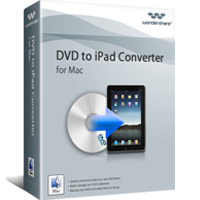

Enjoy DVD movies on iPad * Rip and convert DVD to iPad supported video and audio file formats, for playback on iPad on Mac OS X. * You can open DVD chapters and titles to choose which parts to convert and remove those unwanted parts. * Before DVD to iPad ripping, you are allowed to select DVD subtitle and audio track. Trim, crop, merge videos * If some video clips are unwanted, just trim those you want by clicking Trim and setting the video start time and end time. * Crop can help you cut off the black edges or annoying commercial marks on the video. * You can also join several DVD clips in to one file by ticking Merge into one file. Add special video effects * There are six special video effects provided: Gray, Emboss, Negative, Black white, White black and old film. * If you are not satisfied with the original movie effect, you can adjust video brightness, contrast and saturation to get the best effect you want. Customizable video settings * For superior users, you can set output video and audio parameters by controlling video resolution, frame rate, bit rate, encoder, etc, to get exact what you want on output video quality.
------------------------------------------------------------------------------------
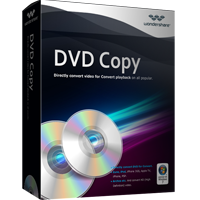
Wondershare DVD Copy is an extremely easy-to-use and practical DVD copy software to backup DVD movies, supporting DVD backup from D5 to D5, D9 to D9, D5 to D9 and D9 to D5, which provides the best way to copy DVD movie with excellent DVD quality in super fast speed by one click. It allows you to import Movie from DVD Disc or DVD Folder on your computer, and output the DVD Movie to DVD Disc, DVD Folder or ISO image. You can select full movie, main movie or custom mode. In custom mode, you can choose the titles that you want freely. Key Functions 1.Backup single-layer DVD5 From DVD5 movie to one single-layer (DVD5/DVD9) DVD+R/RW DVD-R/RW discs. 2.Backup dual-layer DVD9 From DVD9 movies to one dual-layer (DVD5/DVD9)DVD+R/RW DVD-R/RW discs. 3.Backup DVD to hard drive Convert a DVD movie to hard drive so that you can watch a DVD movie or burn a DVD disc from the hard drive. 4.Burn DVDBurn a DVD structure file from your hard drive to a blank DVD disc. Key Features 1.Super Fast DVD Movie Copy Speed - Support Intel Dual-Core Processor and AMD Athlon 64 X 2 Dual-Core Processor. 2.Perfect Quality - Real DVD movie backup in 1:1 ratio, by converting the entire DVD perfectly including titles, menus, subtitles, audio tracks, just like the original! It can even skipp bad sectors automatically to achieve 100% high quality. 3.Wide range media types - Compared with other software, it supports DVD+/-R, DVD+/-RW, DVD-RAM, Double/Dual Layer DVD in a high flexibility. 4.Upto 3 modes to choose from: Full Movie, Main Movie and Custom mode, which allows you to select titles that you want. 5.Modifying disc label freely. 6.Extremely easy to use, just needs one click to get the job done.
----------------------------------------------------------------------------------------------------------
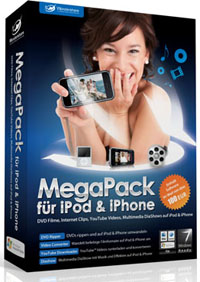
Wondershare MegaPack für iPod & iPhone (Deutsch)
The Mega Pack for iPod & iPhone contains 4 multimedia programs for Windows, which allows you to create multimedia files individually for your iPhone or iPod: Wondershare DVD Ripper for iPod & iPhone Wondershare Video Converter for iPod & iPhone Wondershare YouTube Downloader for iPod & iPhone Wondershare SlideShow for iPod & iPhone The Wondershare DVD Ripper for iPod & iPhone allows you to rip non-copy protected DVDs and to convert them for your iPod or your iPhone. In addition, you can use the DVD Ripper for iPod & iPhone also to select individual chapters of your DVD and cut, and merge. In addition, this software offers you the ability to edit your movie to be very individual. Interesting effects are possible as well as the trimming of the film. Using the built-in audio ripper you can compose your own personal soundtrack from the soundtrack of the DVD and convert it for iPod or iPhone. With Wondershare Video Converter for iPhone and you can convert video clips easily and quickly for your iPod or your iPhone. In addition, this software allows you to cut your movie individually. Using screenshot feature, you can create still images for each movie scene. It is also possible to combine different clips into one movie. The built-in uploader for iPod & iPhone allows you to transfer the movies directly to your output device. The software Wondershare YouTube Downloader for iPhone & iPod is a tool with which you can download YouTube videos (Flash video formats to flv and swf) and then for the iPhone and iPod can convert. The viewfinder automatically detects when a video is viewed on the Internet. It extends a short Preview of the video clip and then it is automatically downloaded
--------------------------------------------------------------------------------------------------------
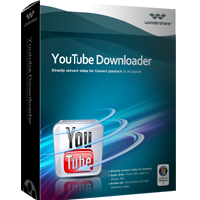
Wondershare AllMyTube is a very easy to use Youtube video download tool and YouTube Converter. It has the complete functions to download YouTube video, archive Youtube video, and convert YouTube video to iPod, iPhone, PSP, Apple TV, Zune, Pocket PC and a lot of other mobile devices.
Wondershare AllMyTube can automatically detect the Youtube video files from the Youtube web pages you have opened and download multiple files at a time. It can also batch convert downloaded Youtube video files or local FLV files on your computer. Wondershare AllMyTube is everything you need to easily download Youtube video from the Internet and enjoy Youtube video off the Internet!
------------------------------------------------------------------------------------------------------

3herosoft PDF to Text Converter for Mac
2012-03-27 00:09:00 (читать в оригинале)
3herosoft PDF to Text Converter for Mac
3herosoft PDF to Text Converter for Mac is a standalone program which can extract Text from PDF documents without assistance of any third-party program, such as Adobe Acrobat or Adobe Reader. It will provide you a direct way to convert PDF to text files. Then you could edit the content with the Notepad or Microsoft Office conveniently.
With 3herosoft PDF to Text Converter for Mac, users can all the original text, layout, tables, etc. with be preserved, therefore there is no need for you to be worried about the quality loss. More conveniently and easier, 3herosoft PDF to Text Converter for Mac allows you to convert only the needed pages to text by setting the page range.
*Extract Text from Adobe PDF documents
*Retain the original text, layout, tables as the previous PDF
*Support batch conversion and partial conversion for saving time.
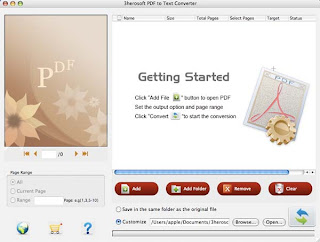
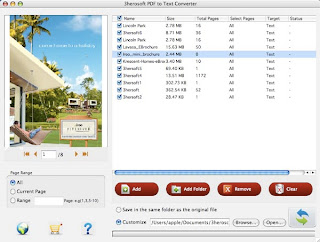
Key Features
- Convert PDF to Text on mac with excellent quality
3herosoft PDF to Text Converter for Mac can extract Text from PDF accurately with the original text, layout, tables, images, etc. preserved. - Page range selection
You are flexible to specify a page range and convert only the needed pages to Text, in this way, the conversion time will be greatly shortened. - Batch conversion for saving time
To save more time, you are free to convert multiple PDF files simultaneously, and 3herosoft PDF to Text Converter for Mac will also ensure you fast processing speed. - Preview before PDF to Text conversion
You can preview the file effect in the view panel page by page, and choose which pages you want to convert.
Main Function
- Extract Text from PDF on macConvert PDF to Text on mac OS X, so you can edit and reuse your PDF content.
- No require of third-party program for assistance
3herosoft PDF to Text Converter for Mac is able to convert PDF to Text Converter independently without requiring any other program or plugin for assistance. - Support source PDF of any language
Multi-language PDF files are supported by 3herosoft PDF to Text Converter for Mac, the input files can be English, Turkish, Thai, Latin, Korean, Greek, Cyrillic, Arabic, Japanese, and Chinese.
3herosoft PDF to Image Converter for Mac
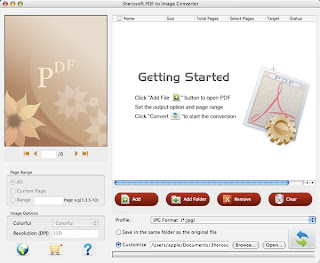
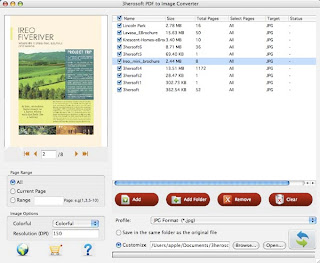
If you want to extract an image from PDF or save the PDF as images for backup. 3herosoft PDF to Image Converter for Mac will be excellent to convert PDF files to lots of images files in high quality, such as convert PDF to JPG, PDF to GIF, PDF to TIFF, PNG, BMP, PCX, TGA and so on.
3herosoft PDF to Image Converter for Mac is also an easy-to-use Mac PDF image extractor, created specifically for Mac OS user to extract images from Adobe PDF files and then convert the extracted images to popular image formats includes TIFF, JPG, PNG, GIF and BMP.
Before you convert the PDF to Images files, 3herosoft PDF to Image Converter for Mac also helps you to choose the page range to select all pages, current page and your self-defined pages. All your PDF pages can be viewed on the preview window. Free download this best PDF to Image Converter and get image files with different formats, and view PDF files as image slide on your Mac computer.
Key Features
- Convert PDF to Images
Converter supports all common format images including JPEG, TIFF, BMP, GIF, PNG, EMF and various others. PDF To Image is an advanced converter to generate high resolution images or multi frame Tiff images. - Instantly transforms PDF to Images
PDF To Image Converter accurately converts various PDF documents to distinct images swiftly in few steps. PDF to Image application switches number of single or multi-page PDF files in distinguished format images. - Transforms password protected PDF to Images
Converter is ideal tool to convert password protected PDF documents having multiple pages to specific format images such as jpeg or other images along with defined settings.
Main Functions
- The PDF to Image conversion page options
At times you need to convert only selected pages of your document. In this scenario, you don’t need to convert the complete document. 3herosoft PDF to Image Converter for Mac allows partial document conversion. Specify the pages or page range for conversion and the tool will convert the document accordingly. - Versatile, accommodating PDF to Image conversion
3herosoft PDF to Image Converter for Mac can convert PDFs generated through any application into Image. This makes this tool quite versatile. - Support preview before conversion
Users can choose to preview the input files before conversion. - Multiple languages
Support multiple languages including English, Chinese.
3herosoft PDF to Html Converter for Mac
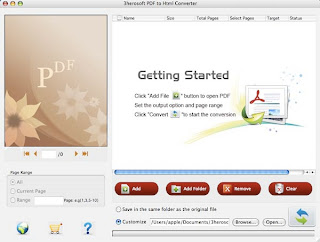
3herosoft PDF to HTML Converter for Mac is one powerful and practical PDF solution program that specially designed by our technicists to help Mac users to convert PDF files to HTML web pages for easily making the PDF documents visible and fully searchable on Web. This PDF to HTML converter for Mac will convert PDF to the NET 2.0 standard HTML files and you doesn't need third PDF software to view such as Adobe Reader or Acrobat.
This PDF to HTML Converter for Mac is an excellent PDF converter program and make it preserve the original initial formatting, bookmarks, images, vector graphics, fonts, alphabet characters and hyperlink, even automatically links page numbers to all extracted pages after PDF conversion.
3herosoft PDF to HTML Converter for Mac also sets necessary details for PDF converting, you can set some parameter to customize your PDF converting modes such as converting all PDF files, current page or scope pages. And it can keep high quality of converted HTML files same as the original PDF. Free download this PDF to HTML converter for Mac and get HTML files fast and quickly.
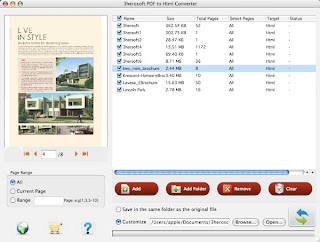
Key Features
- Convert PDF to HTML files
3herosoft PDF to Html Converter for Mac allows you to easily convert PDF files to HTML files on PC, you can edit and reuse the PDF files for building website or HTML captured directly. - Do not need Adobe software support
3herosoft PDF to Html Converter for Mac is a standalone program for PDF to Html. It does not need Adobe Acrobat or other third-party controls support. - Quality in converting PDF to HTML
PDF to HTML Converter retains the original layout of text, columns, tables, graphics and even hyperlinks of PDF files after conversion. You don't have to retype or reformat the converted pages
Main Functions
- The PDF to Html conversion page options
At times you need to convert only selected pages of your document. In this scenario, you don’t need to convert the complete document. 3herosoft PDF to Html Converter for Mac allows partial document conversion. Specify the pages or page range for conversion and the tool will convert the document accordingly. - Versatile, accommodating PDF to Html conversion
3herosoft PDF to Html Converter for Mac can convert PDFs generated through any application into Html. This makes this tool quite versatile. - Support preview before conversion
Users can choose to preview the input files before conversion. - Multiple languages
Support multiple languages including English, Chinese.
3herosoft PDF to EPUB Converter for Mac
Compare to PDF format, ePub will be well compatible with a wides range of eBooks readers. For iPad, it can perfectly support ePub eBooks, for iBooks application uses the ePub format. 3herosoft PDF to ePub Converter for Mac is an intuitive and powerful PDF solution program, which enables you to read ePub from PDF files on mobile readers in a breeze. After convert PDF to ePub, Mac users can transfer ePub ebooks to iPad/iPad 2/new iPad/iPhone/iPod touch, Sony Reader, Barnes@Noble nook, Hanlin eReader, etc. for fantastic reading experience.
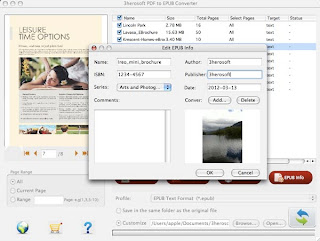
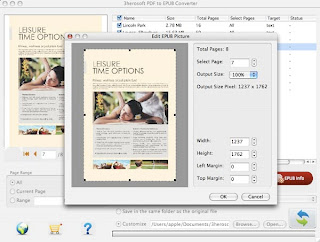
As the best customer-oriented PDF to ePub for Mac , Mac PDF to EPUB Converter provides powerful setting functions such as converting several PDF documents at one time, customize the output page to be converted, specify output folder, personalize the EPUB eBook, etc. PDF to ePub for Mac can retain the original text, layouts, images, and hyperlinks in the output EPUB eBooks. PDF to ePub Converter for Mac tool provides 2 options to customize the output EPUB eBooks.
3herosoft PDF to ePub Converter for Mac also allow you to customize detailed info for ePub books, such as crop and trim PDF page for output certain images, modify books Name, Description, Category, Cover, etc. Free download this Mac PDF to ePub Converter and get ePub files from PDF, and you can transfer ePub into mobile reader to enjoy the books wherever you go!
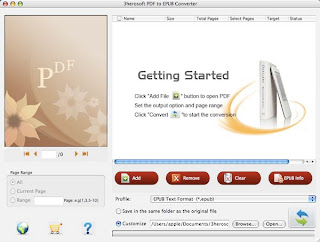
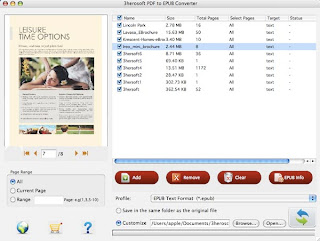
Key Features
- Convert PDF to EPUB files
3herosoft PDF to EPUB Converter for Mac allows you to easily convert PDF files to EPUB files, so you can view them on any eBook readers compatible with EPUB. - Do not need Adobe software support
3herosoft PDF to EPUB Converter for Mac is a standalone program for PDF to EPUB. It does not need Adobe Acrobat or other third-party controls support. - Optional Conversion Mode
3herosoft PDF to EPUB Converter for Mac can convert PDF pages with text or picture mode to EPUB. - High speed PDF to EPUB conversion
Multithreading and batch conversion provide super fast PDF to EPUB conversion speed due to multi-core CPU support. Faster than any other PDF to EPUB conversion software.
Main Functions
- The PDF to EPUB conversion page options
At times you need to convert only selected pages of your document. In this scenario, you don’t need to convert the complete document. 3herosoft PDF to EPUB Converter for Mac allows partial document conversion. Specify the pages or page range for conversion and the tool will convert the document accordingly. - Versatile, accommodating PDF to EPUB conversion
3herosoft PDF to EPUB Converter for Mac can convert PDFs generated through any application into EPUB. This makes this tool quite versatile. - Support preview before conversion
Users can choose to preview the input files before conversion. - Multiple languages
Support multiple languages including English, Chinese.




Категория «Артисты»
Взлеты Топ 5
 | ||
|
+96 |
124 |
Наша жизнь просто прекрасна |
|
+69 |
108 |
Рыцарь Дорог (Knight Rider) - фан сайт сериала |
|
+48 |
99 |
House of Pocong |
|
+1 |
35 |
| |
|
|
|
|
Падения Топ 5
 | ||
|
-1 |
5 |
Мартышка_с_Алмазами |
|
-3 |
26 |
театральный Лягушатник |
|
-9 |
3 |
alexjdanov |
|
|
|
|
|
|
|
|

Популярные за сутки
Загрузка...

BlogRider.ru не имеет отношения к публикуемым в записях блогов материалам. Все записи
взяты из открытых общедоступных источников и являются собственностью их авторов.
взяты из открытых общедоступных источников и являются собственностью их авторов.